 Outpaint.co.uk
Extend any photo to any resolution
Extend your image into whatever resolution you need by selecting the resolution you want and letting AI generate what's missing
Upload Image
Click to upload or drag and drop
PNG, JPG, GIF up to 10MB
Choose Resolution
£1.50 GBP per transform.
Learn more about outpaint
What outpainting does
Outpainting is the opposite of cropping. Rather than cutting your photo down to fit a shape, it generates believable new surroundings for it: more sky above a building, more sand either side of a beach, more wall behind a portrait, until the picture fills the size you need. The pixels you uploaded are kept exactly as they are, and only the empty space around them is created.
That is what separates it from the two things people try first. Cropping throws away part of your photo. Stretching distorts everything in it. Outpainting adds material that was never in the frame, so nothing has to be lost or squashed to change the shape.
A real example
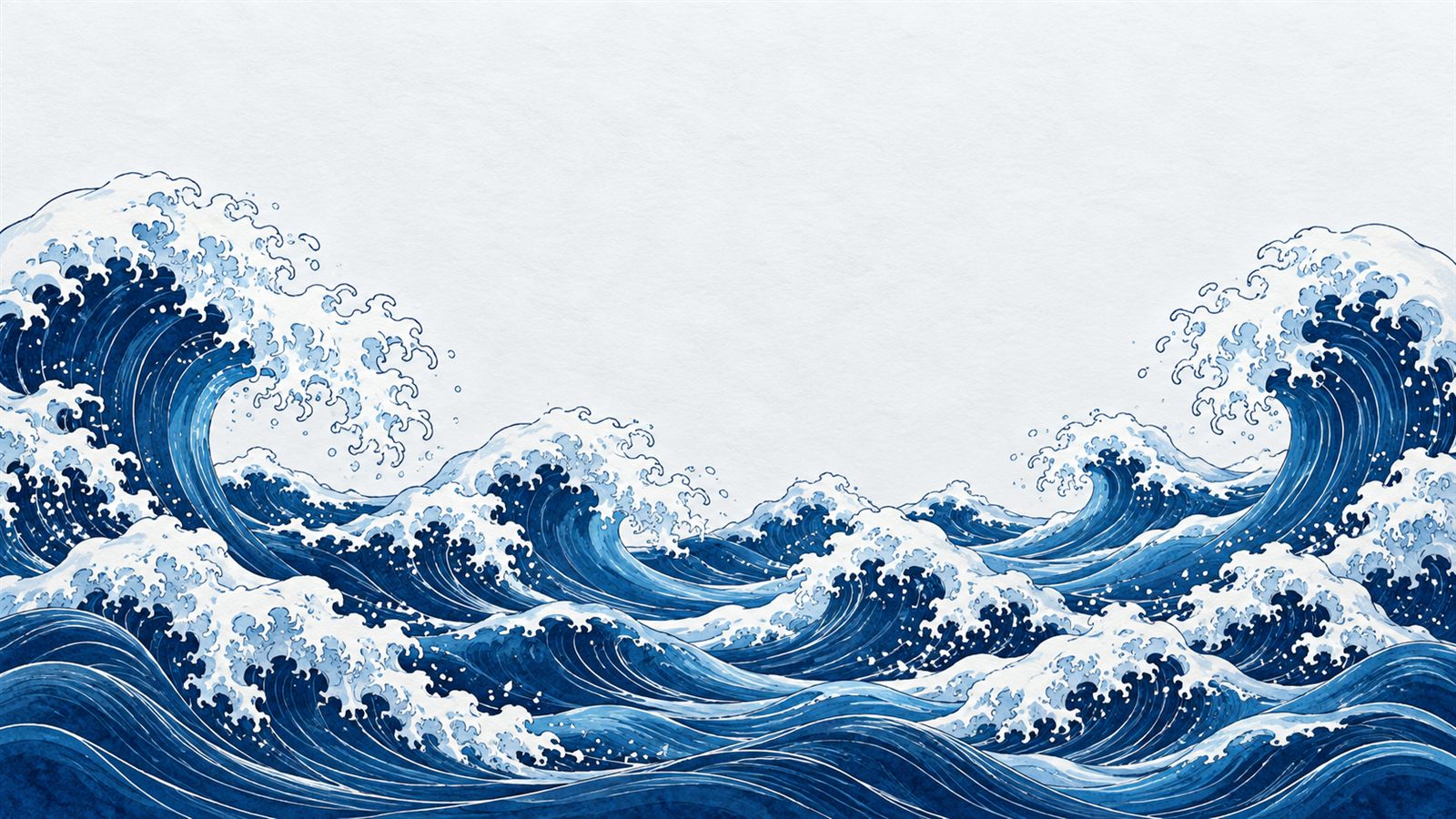
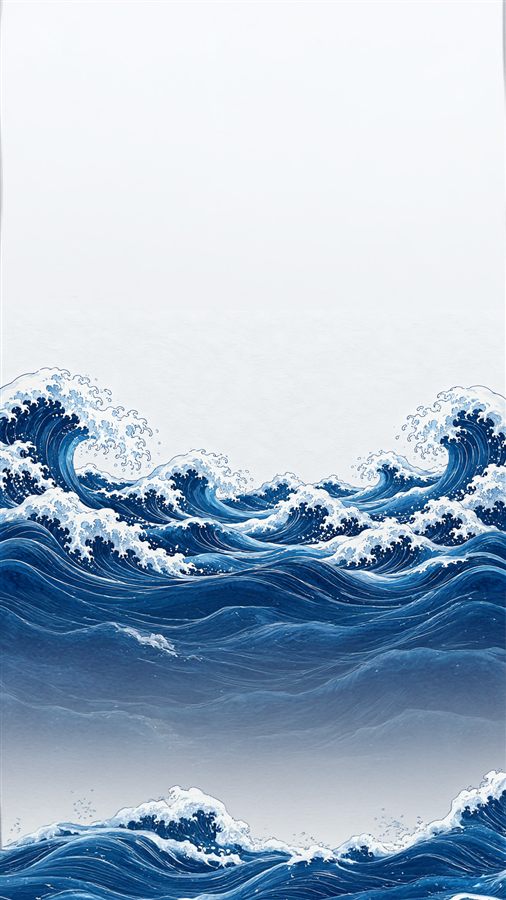
Original 16:9 illustration extended to a 1080 × 1920 phone wallpaper. The waves themselves are the exact original pixels; only the sky above and the water below are generated.
Three steps
- Upload a photo. JPEG, PNG or WebP, up to 10MB. Your upload is processed and then discarded, and it is never used to train anything.
- Pick the resolution you need. Presets for phone, desktop, ultrawide, square and 4K, or any custom size up to 4096 pixels a side.
- Check the free preview, then decide. The AI runs before you pay anything and shows you a blurred preview. Regenerate it as often as you need at no cost, and pay £1.50 only when you want the full-resolution file.
What £1.50 gets you
One full-resolution image at exactly the size you chose, as a download, plus a private link that keeps working for 30 days so you can come back for it. No account, no subscription, and nothing charged if you walk away at the preview. Generation is free, so you are only ever paying for a result you have already seen and chosen.
The honest caveat: AI extension works best when the shape you want is not wildly different from the shape of your photo. Ask for a big change and more of the final picture has to be invented, which is when a result can read as a collage rather than one photograph. That is exactly why regenerating is free. More on how it works, and how to get a good result.
Common questions
Will it change my original photo?
No. Your image is composited back over the generated canvas unchanged, so the subject you photographed is never redrawn, restyled or moved. Only the space around it is generated.
What if the result is bad?
Regenerate it, free, as many times as you reasonably need. Each attempt is a fresh generation rather than the same image again. You only pay when you unlock a result you are happy with, so a bad attempt costs you nothing.
Why £1.50?
Every transform costs us real money in AI compute, whether you pay or not, and there is no subscription to spread that across. £1.50 covers one image with unlimited free attempts beforehand, which is why there is no free tier.
Do you keep my images?
Your upload is processed and discarded. The finished result is stored for 30 days behind a private, unguessable link so you can retrieve it, then deleted permanently. Nothing you upload is used to train any model.
Do I need an account?
No. There are no accounts and no sign-up. Your session is just an anonymous cookie, and payment is handled by Stripe.
Will it add people who were not in my photo?
No. If someone is cut off at the edge of the frame the AI may complete them, but it never populates empty background with invented strangers.
What sizes can I output?
Presets cover 1080 × 1920, 1920 × 1080, 2560 × 1080, 1080 × 1080 and 3840 × 2160, and you can enter any custom size up to 4096 pixels on each side.
Is there a free option?
Yes, but it is not AI. A "stretch to fill" checkbox resizes your photo to the target dimensions with no AI at all, which distorts the image but costs nothing.